ADVFN has introduced a series of updates to its mobile application, expanding the range of financial data, research tools and personalisation features available to investors. The additions include advanced charting capabilities, options data for U.S. equities, company ownership information, insider transaction records, expanded financial data, customisable notifications and Dark Mode.
The updates are designed to give users access to more detailed market information and company research tools directly from their mobile devices, while improving navigation and control over the app’s functionality.
Advanced Charting Tools and Full-Screen Analysis
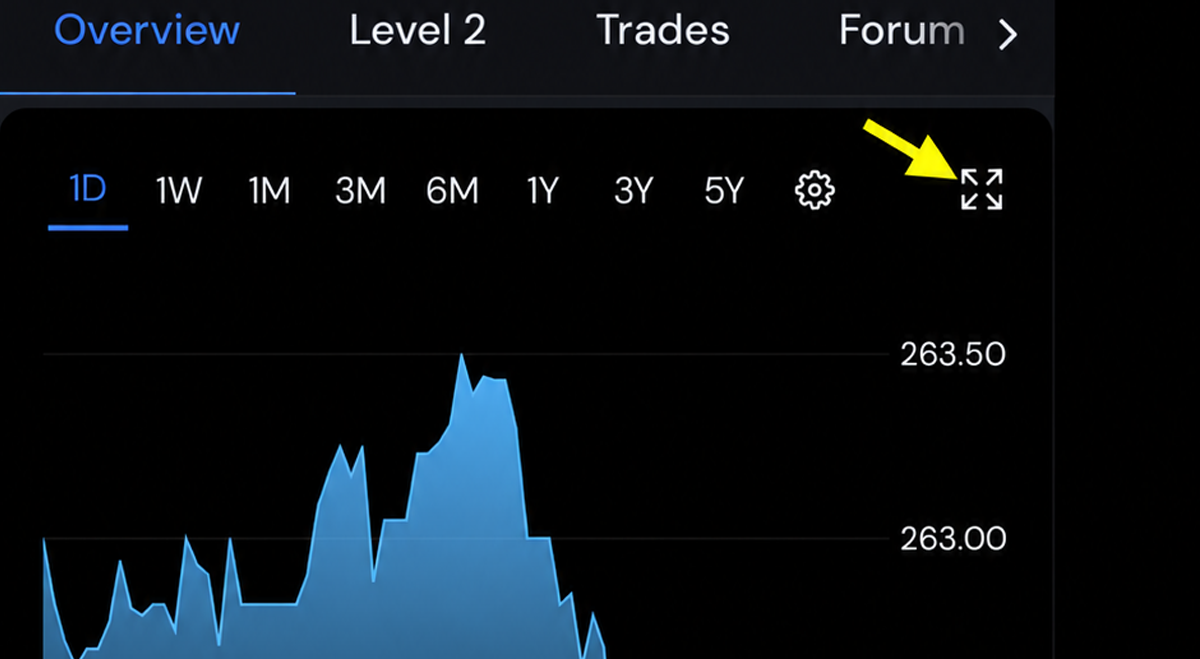
One of the additions is an enhanced charting experience, providing investors with more ways to examine share price movements and market trends.
The updated charts include additional controls and a full-screen advanced chart view, allowing users to explore price activity in greater detail.
Investors can access the feature by opening a company or financial instrument’s page, selecting the Chart section and tapping the expand icon in the upper-right corner. This opens the advanced chart interface, providing a larger workspace for market analysis.
Options Chain Data for U.S. Equities
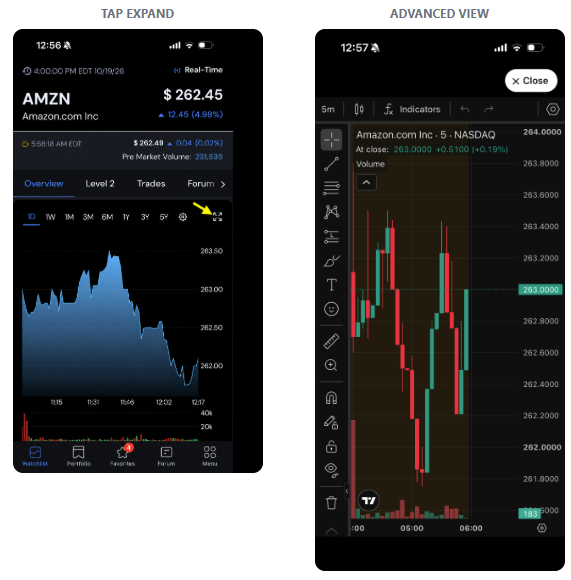
ADVFN has also introduced options chain information for supported U.S.-listed equities, allowing investors to examine options contracts within the mobile application.
The new Options section enables users to select expiration dates, switch between call and put options, and review available strike prices and contracts.
The feature provides access to options information alongside the underlying equity’s market data, reducing the need to navigate between different research platforms.
To access the information, users can open a supported U.S. stock, select the Options tab and choose the relevant expiration date and contract type.
Company Ownership and Institutional Holdings
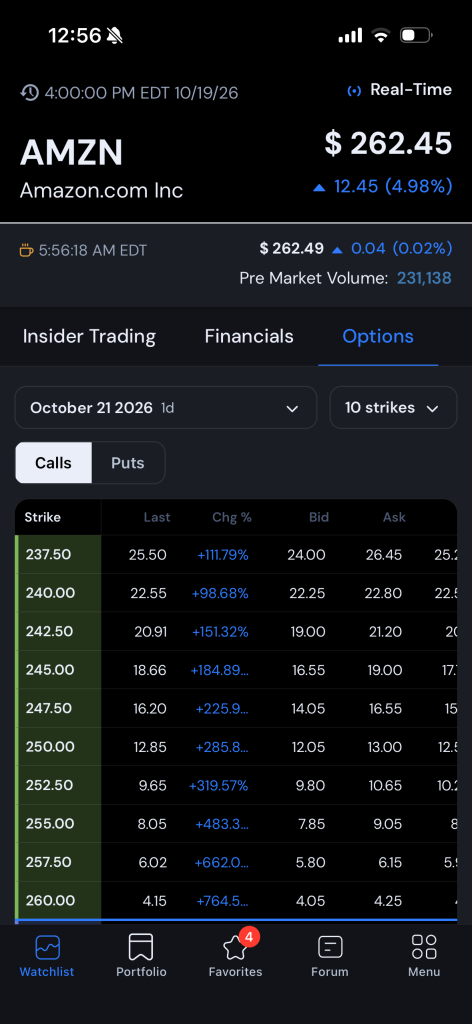
A new Ownership tab provides additional information about the shareholder structure of companies and other supported securities.
Investors can review institutional, insider and public ownership information, providing a breakdown of the different categories of shareholders.
The feature is accessible directly from a symbol’s page by selecting Ownership.
The addition complements the app’s expanded company statistics, which include institutional holdings data and other measures relevant to company research.
Insider Transactions and Director Dealings
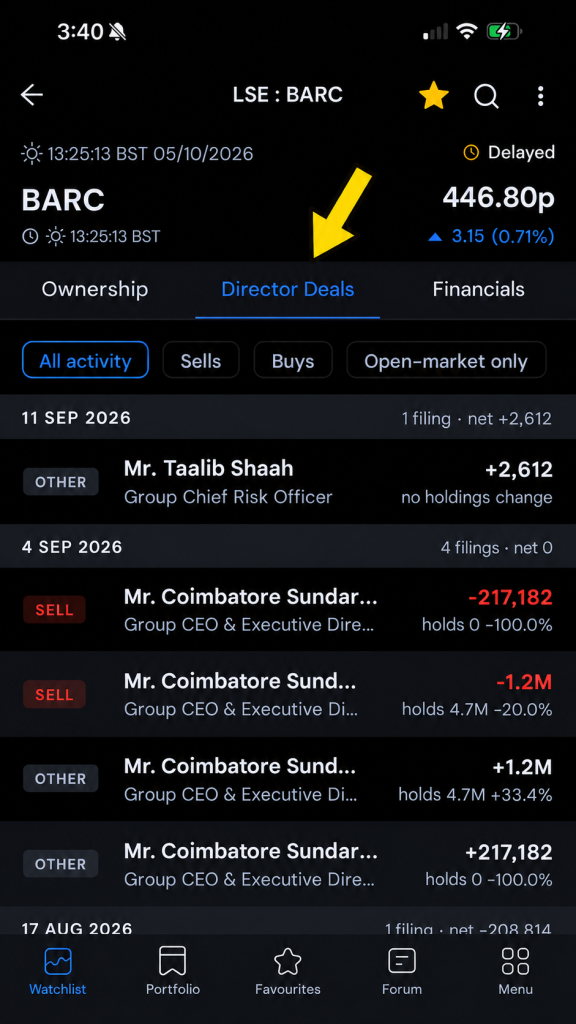
The updated application also provides access to historical insider transactions, allowing users to review buying and selling activity involving company insiders.
Available through the Director Deals section of a symbol’s page, the feature includes filtering options for all transactions, purchases, sales and open-market activity.
This allows investors to examine reported insider dealings separately from other company information and assess transaction histories as part of their research.
Expanded Financial Statements and Company Fundamentals
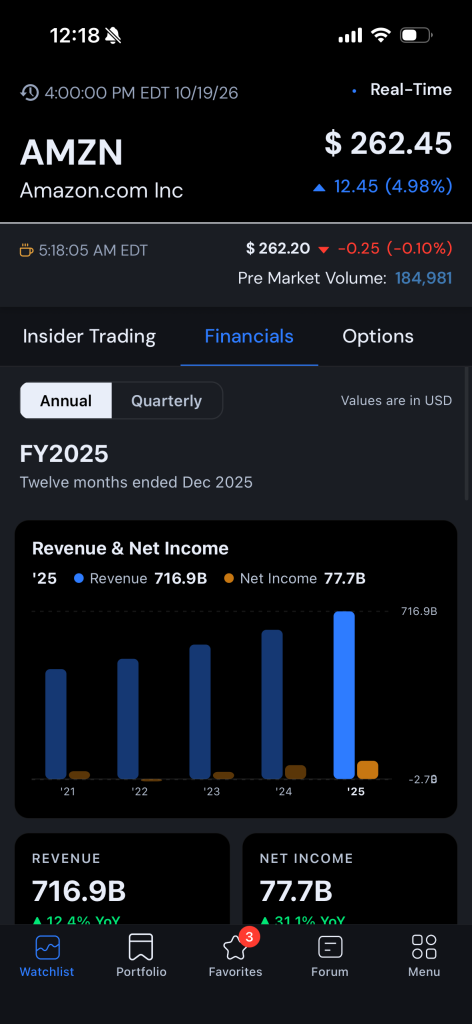
ADVFN has increased the amount of company financial information available through the mobile app, adding further fundamental data and key statistics.
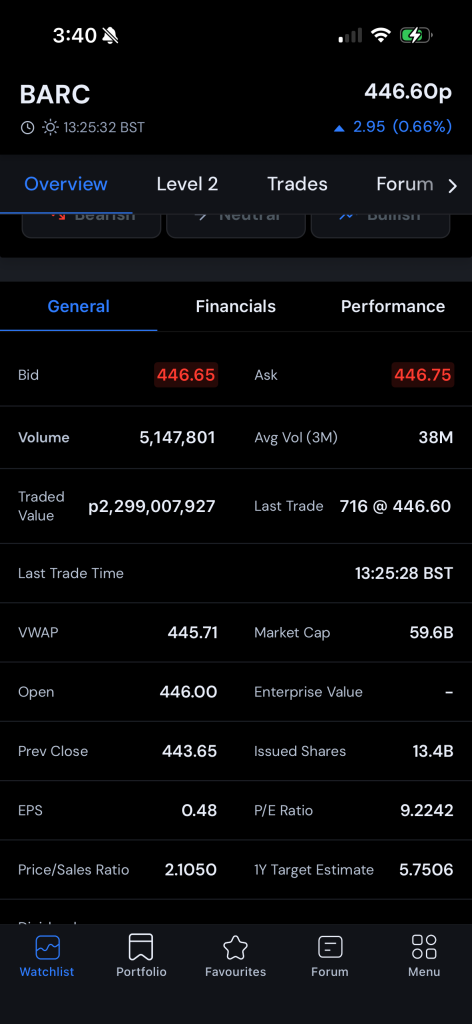
The Financials section provides access to available company financial information directly from individual symbol pages, while the General section includes additional company metrics.
Among the expanded data points are Beta, Float, Institutional Holdings and valuation information, alongside other company statistics.
Beta provides a measure of a security’s historical sensitivity to broader market movements, while Float represents the shares generally available for public trading. Institutional Holdings data offers information about ownership by investment institutions.
By bringing these metrics together with financial information and market prices, the app allows investors to access multiple aspects of company research within the same interface.
Customisable Notifications and Market Alerts
The updates also introduce additional control over notifications, allowing users to manage the types of alerts they receive.
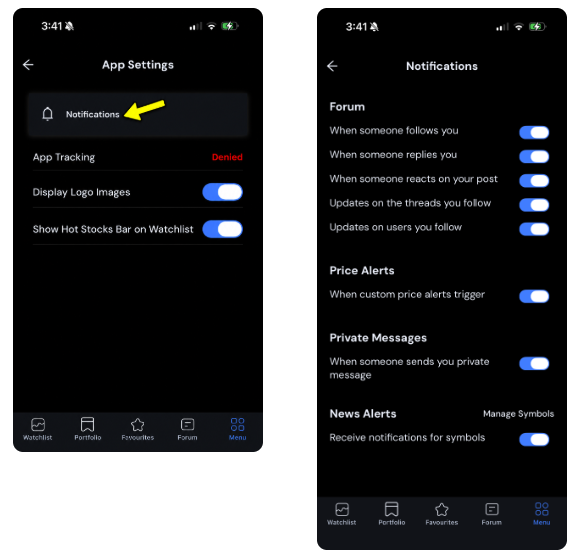
Notification settings cover forum activity, price alerts, private messages and news relating to selected securities.
Users can enable or disable individual notification categories through Menu, App Settings and Notifications.
The Manage Symbols function provides additional control over which securities are included in news notifications, allowing investors to tailor updates to the companies and instruments they follow.
Dark Mode and Display Personalisation
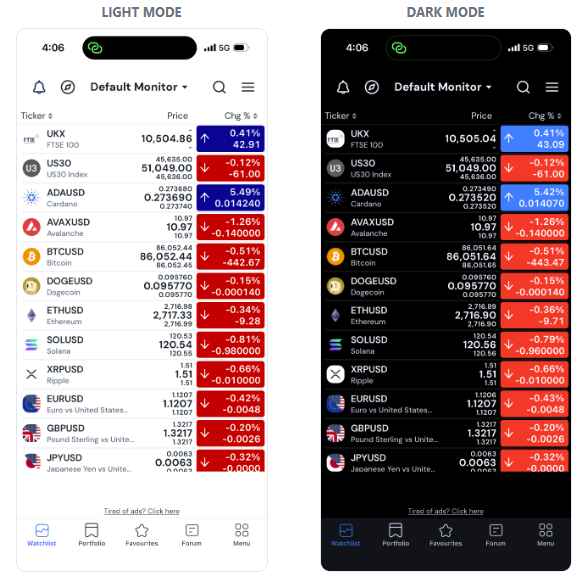
ADVFN has introduced Dark Mode as an alternative display option within the mobile application.
The feature allows users to switch between light and dark interfaces according to their viewing preferences.
Dark Mode can be enabled or disabled directly from the app’s Menu, giving users control over the appearance of the platform without changing their market data or research settings.
Continued Development of ADVFN Mobile
The combined updates expand several areas of the ADVFN mobile experience, including technical analysis, derivatives information, shareholder research, financial fundamentals and notification management.
The introduction of advanced charts and U.S. equity options chains extends the app’s market analysis capabilities, while ownership data, insider transactions and additional financial metrics provide more information for company-level research.
Meanwhile, customisable notifications and Dark Mode give users greater control over how they interact with the platform.
ADVFN has indicated that further improvements are planned as it continues developing the mobile application, with an emphasis on expanding available market data, research functionality and overall performance. The latest features form part of the company’s ongoing development of its mobile services, bringing additional tools and financial information into a single application for investors monitoring markets and researching securities on the move.
Get the ADVFN app from the Apple store and Google Play
Leave a Reply